F&O in the time it takes to make chai.
Pick a stock. Pick a direction. Set how much you can lose. We do the rest.
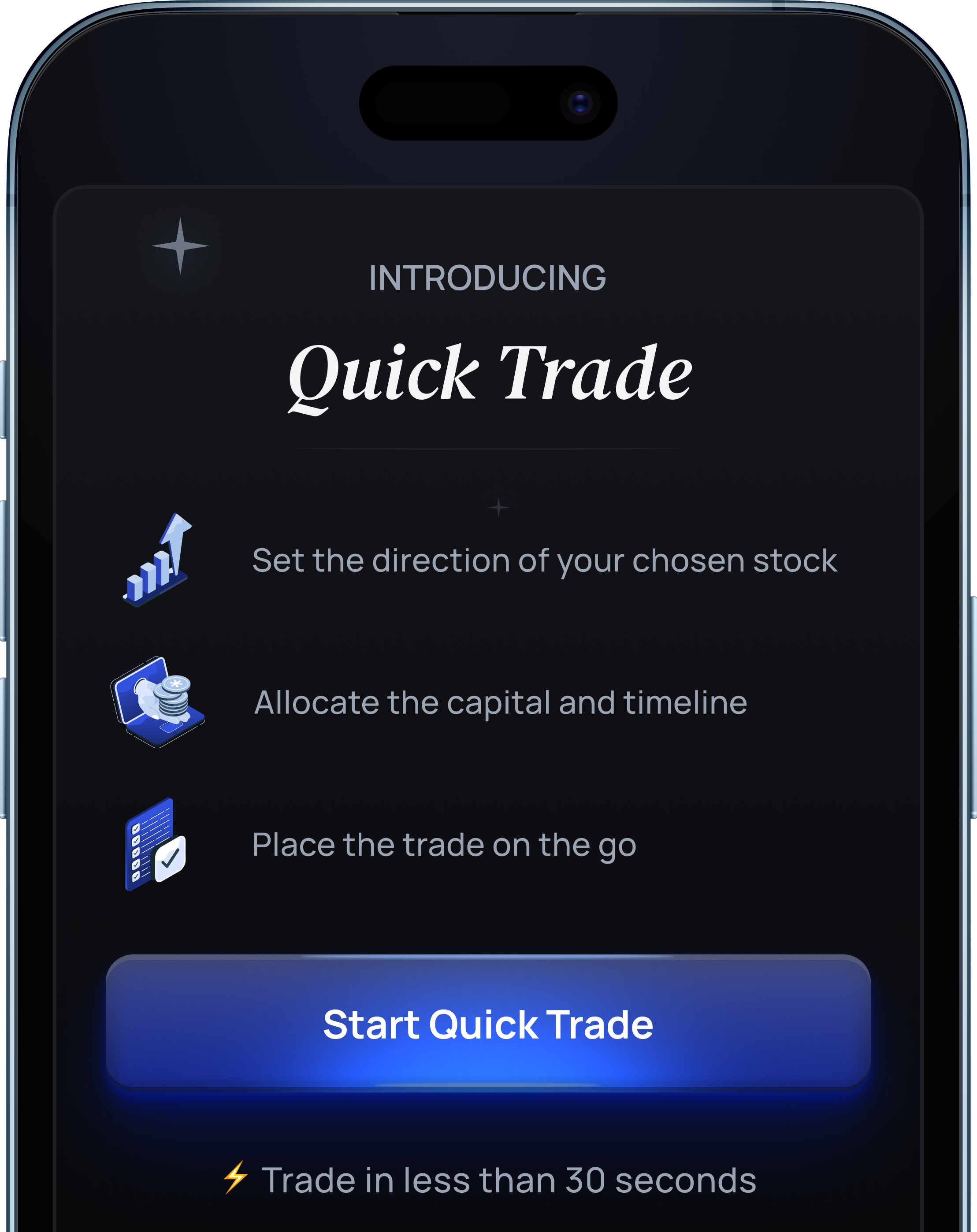
HOW IT WORKS
You set the view
Will it go up, or down? That's the only call you need to make.
You set the risk
How much can you afford to lose? Pick a preset, or type your own.
We pick the trade
Strike, expiry, lot size all matched to your view and budget
HOW IT WORKS
You set the view
Will it go up, or down?
That's the only call you need to make.
You set the risk
How much can you afford to lose?
Pick a preset, or type your own.
We pick the trade
Strike, expiry, lot size
all matched to your view and budget
Five screens. One Trade
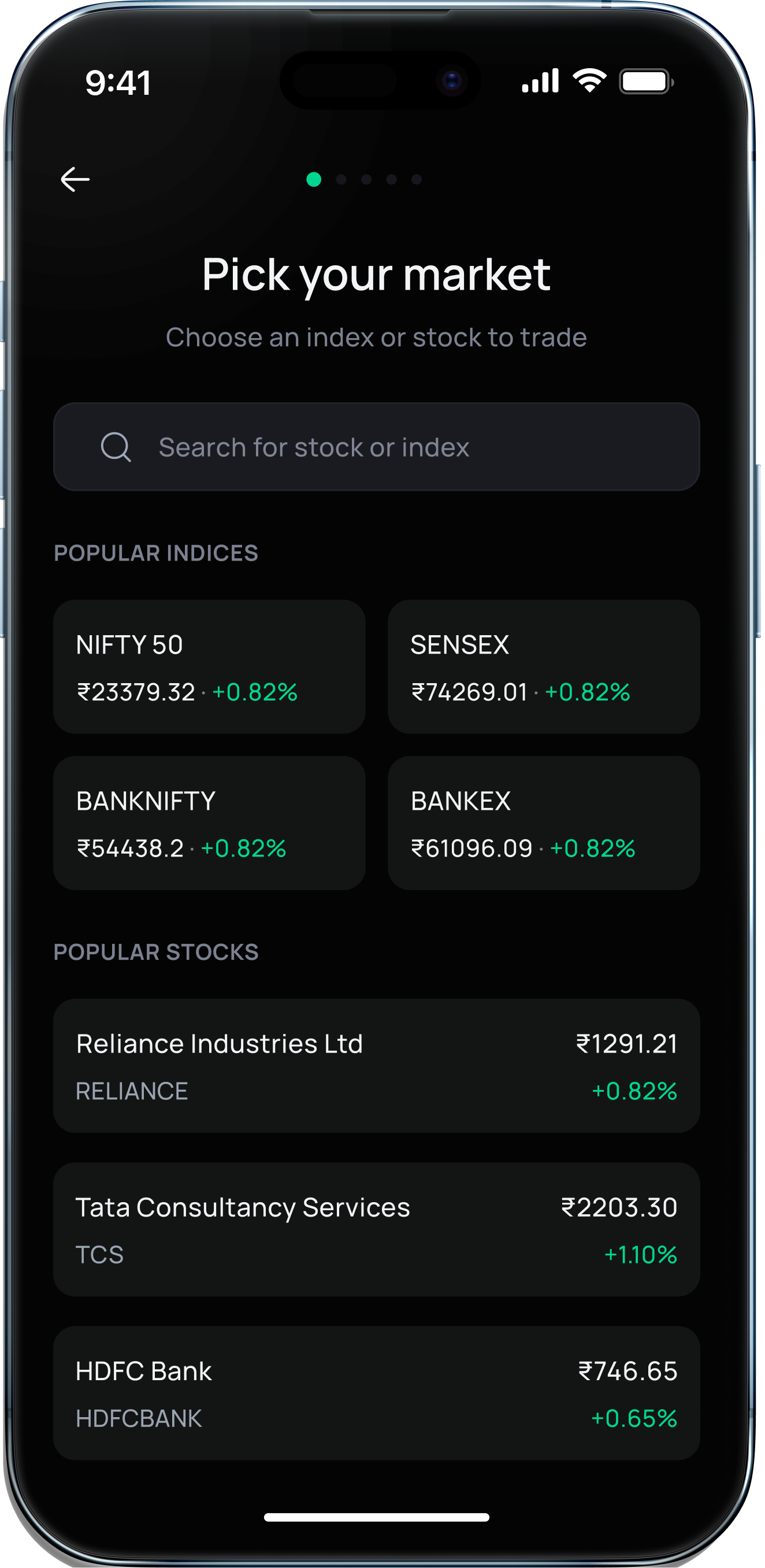
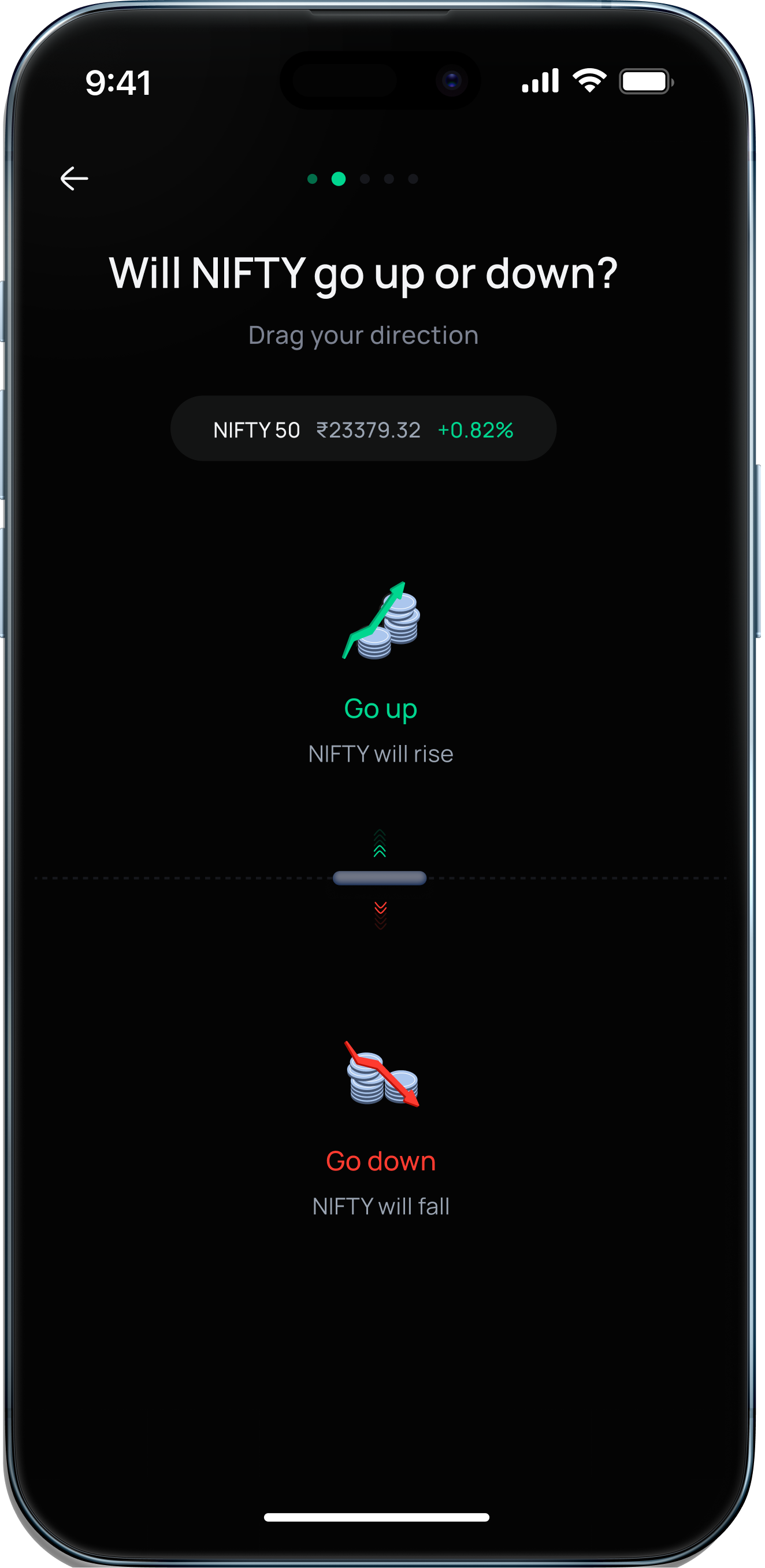
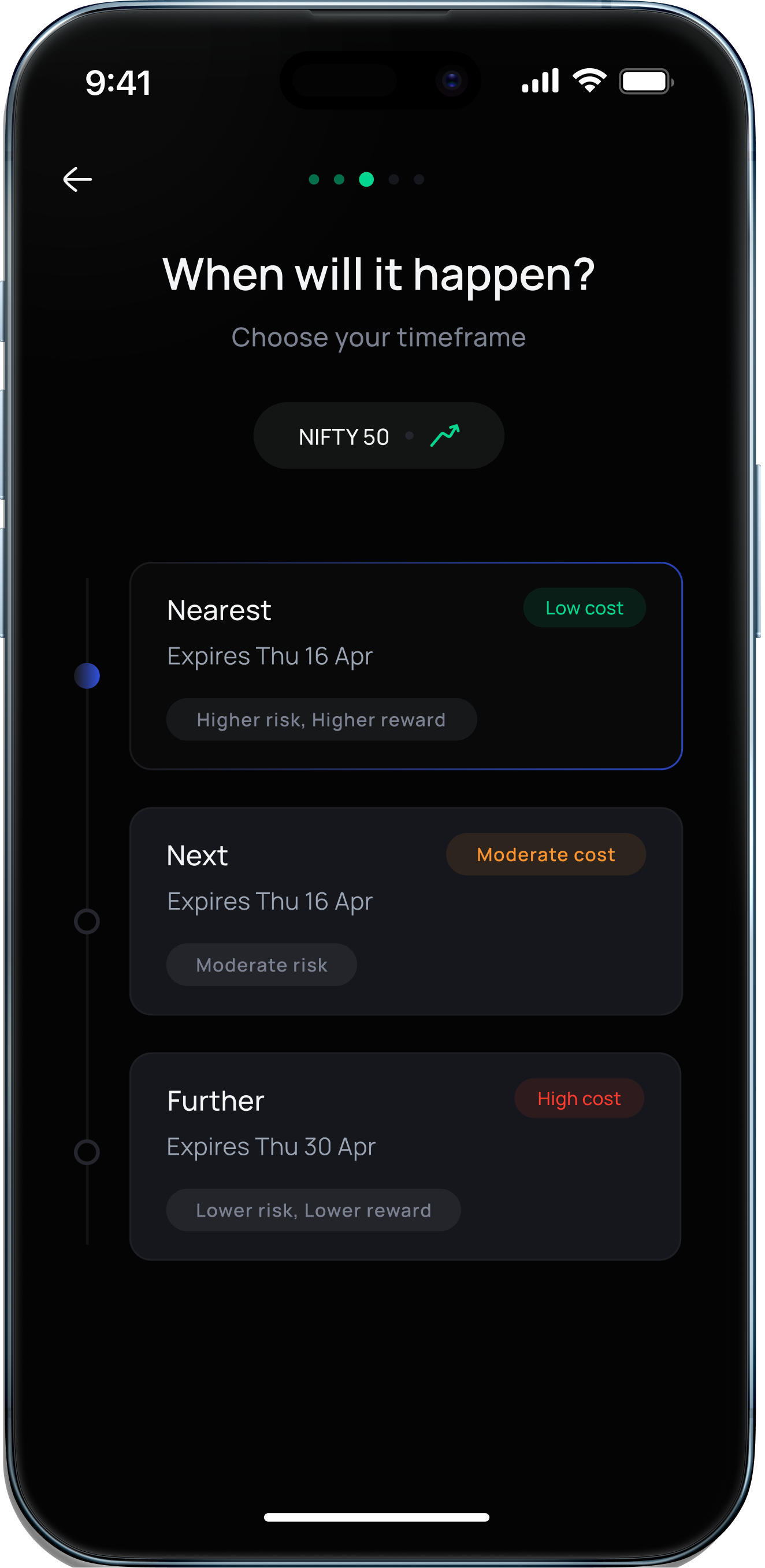
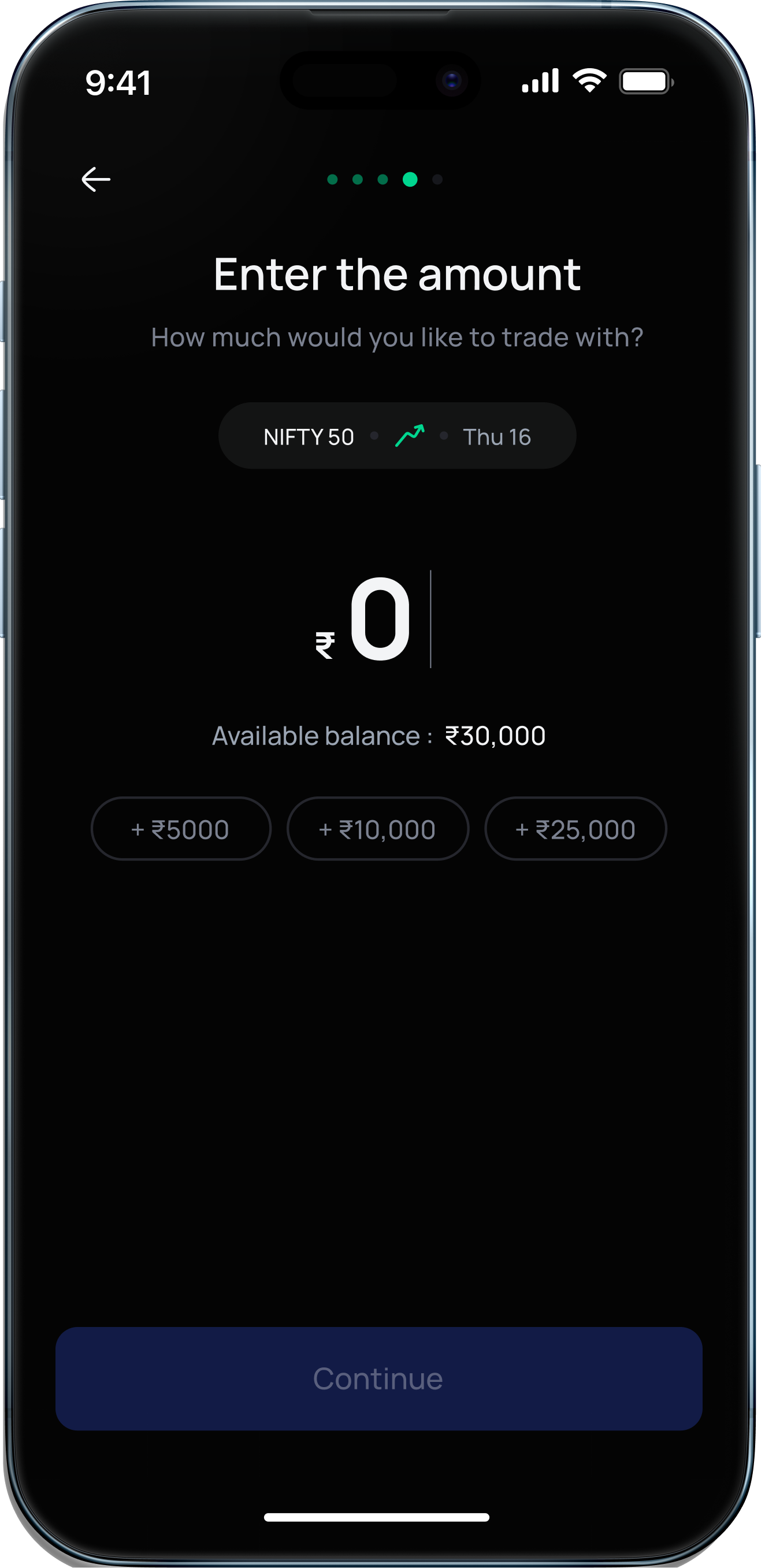
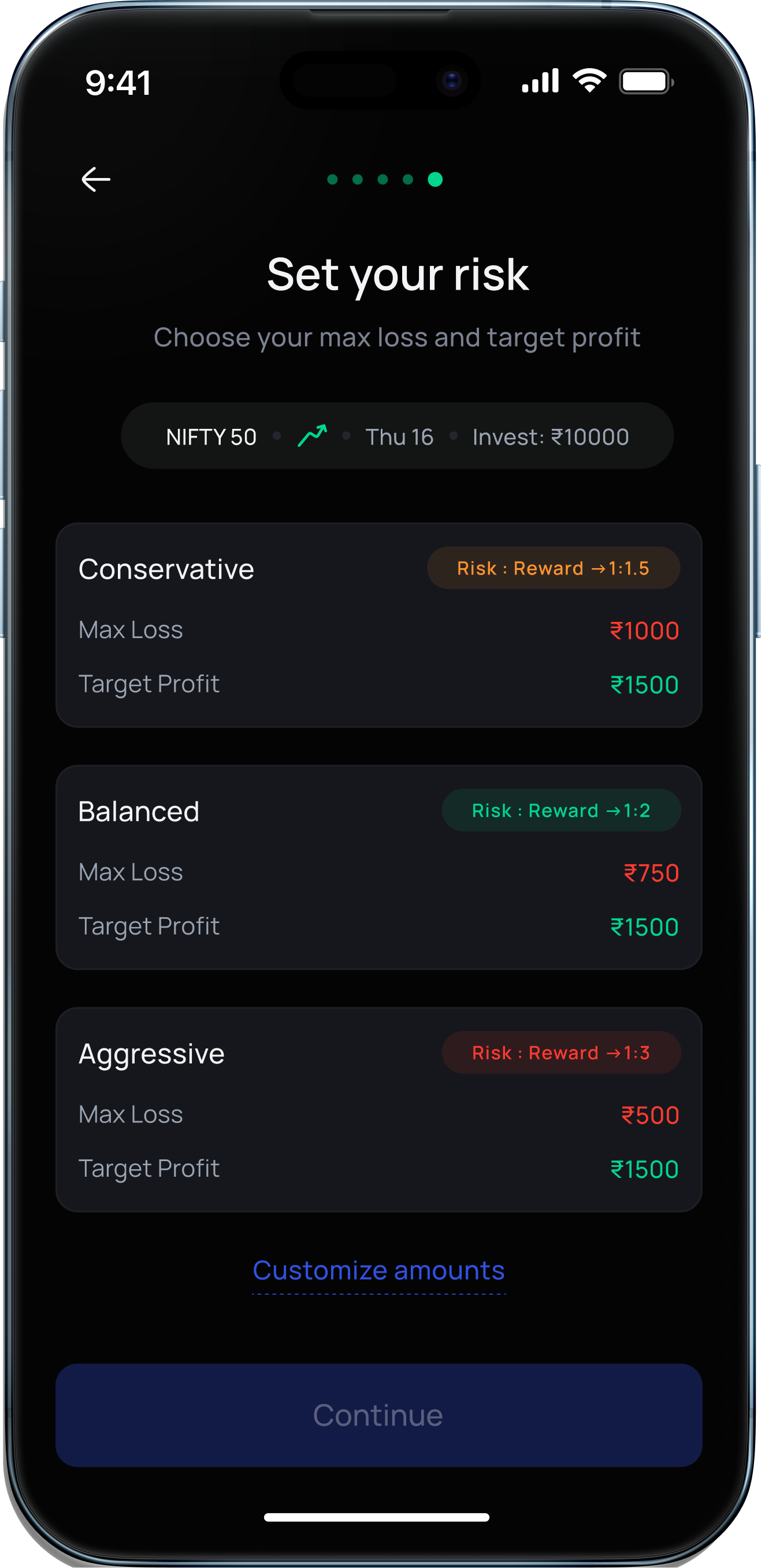
Your Trade is here
Explore the stock details and gain complete clarity before you make a decision
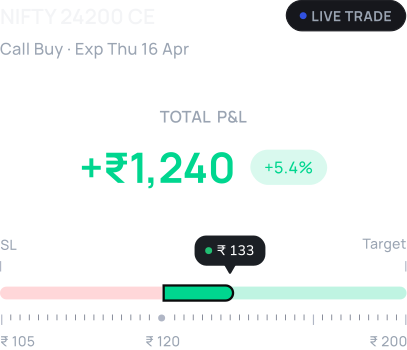
Review your Trade
Get to know the ins and outs of the stock with quick visuals
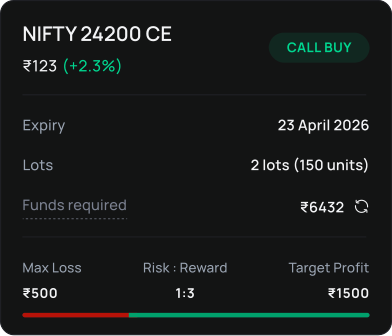
Track the live position
Understand the insights and patterns behind the stock holdings
One of a kind Option Chain
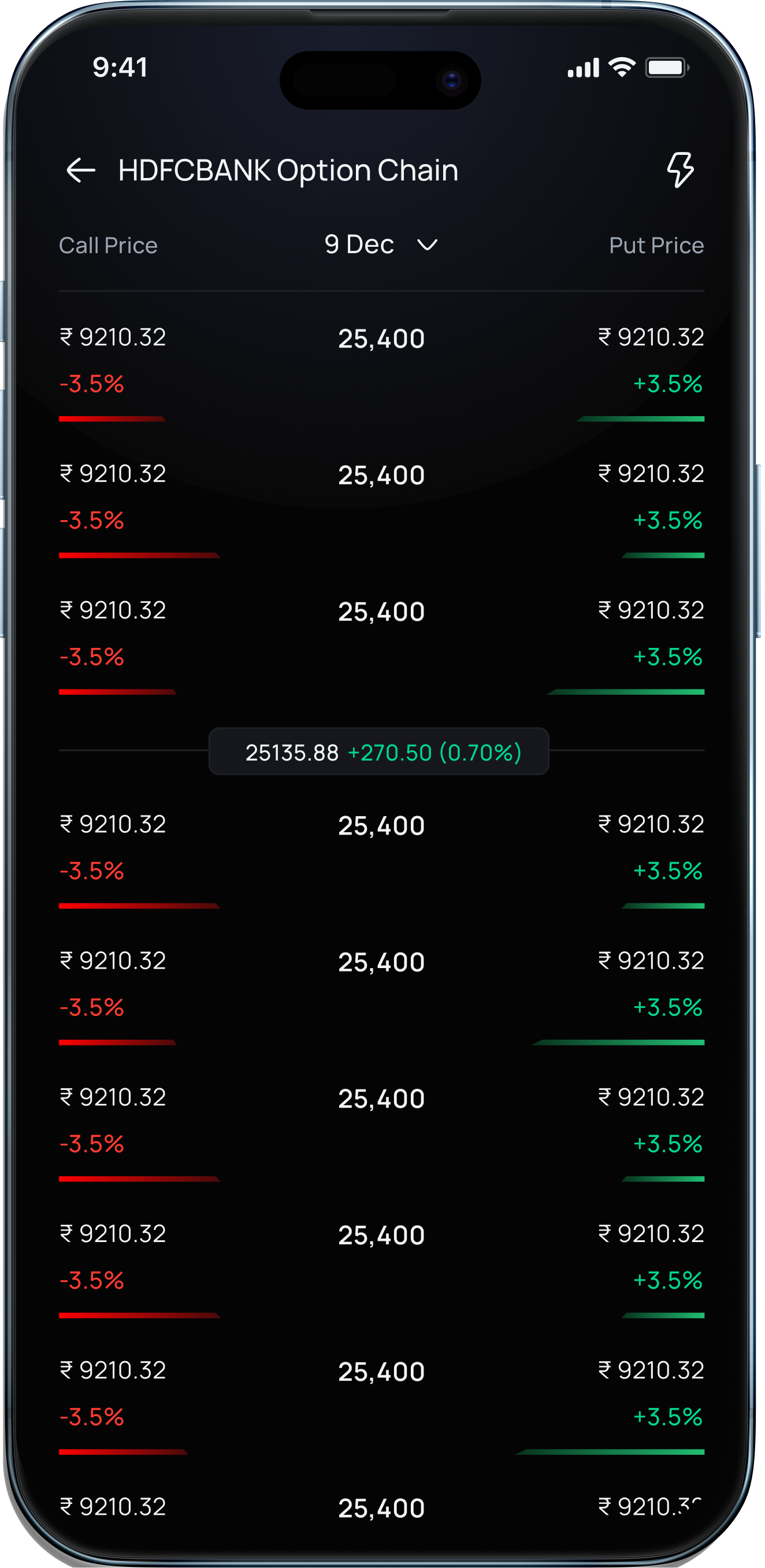
See all the options on the go
Single Screen Trading
See prices, margins, P&L, and orders on one screen.
No toggles. No hidden panels. No friction. Stay in the Trade
What You See at a Glance
Read the price blocks on the screen
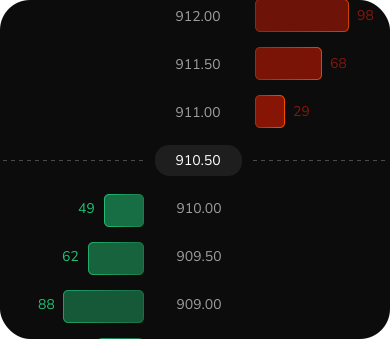
Read the price blocks on the screen
See the red and green blocks on the screen? The red blocks show sellers waiting at higher prices, and the green blocks show buyers waiting at lower prices.
Tap the price you want to invest at
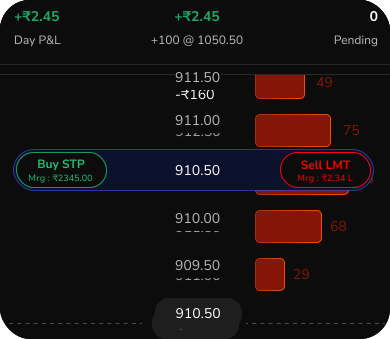
Tap the price you want to invest at
When you tap any price block, investing options appear right there. You can choose to buy or sell, pick the order type, set the quantity, and place the order without leaving the screen.
Set your target and stop loss on the same screen
Set your target and stop loss on the same screen
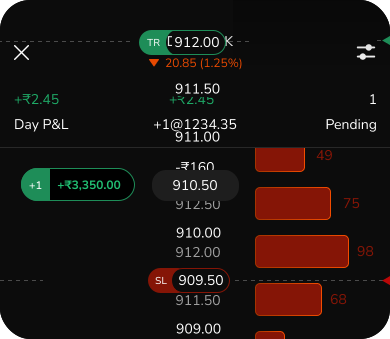
Once your order is placed, you can add your target and stop loss directly on the price ladder. You can see your open position, profit or loss, and exit levels clearly, and adjust them in real time without opening another page.
Read the price blocks on the screen
Read the price blocks on the screen
See the red and green blocks on the screen? The red blocks show sellers waiting at higher prices, and the green blocks show buyers waiting at lower prices.
Tap the price you want to invest at
Tap the price you want to invest at
When you tap any price block, investing options appear right there. You can choose to buy or sell, pick the order type, set the quantity, and place the order without leaving the screen.
Set your target and stop loss on the same screen
Set your target and stop loss on the same screen
Once your order is placed, you can add your target and stop loss directly on the price ladder. You can see your open position, profit or loss, and exit levels clearly, and adjust them in real time without opening another page.
Futures Investing at
your fingertips
Clean layout with less clutter.
Get instant access to prices, available
margin, quantity, and order types.
FAQs
Investing - redesigned
from ground up.
App Store

4.7/5
Play Store
4.6/5